Finančná správa & IS EFA-ready
Legislation-compliant documents generated in SuperFaktúra, with the tax details exactly as on your Shopify order.
Automatic invoicing for Czech & Slovak shops, Finančná správa & IS EFA-ready. Every Shopify order becomes a legislation-compliant document in SuperFaktúra, with no manual retyping.

SuperFaktúra Integration is a Shopify app by Make It Easy! that generates invoices, proforma invoices and credit notes in SuperFaktúra automatically from Shopify orders. Setup takes 3 minutes, and there is a 7-day free trial.
The app generates the documents in SuperFaktúra, ready to send to IS EFA and Finančná správa from SuperFaktúra. The app itself never sends anything to the authority.
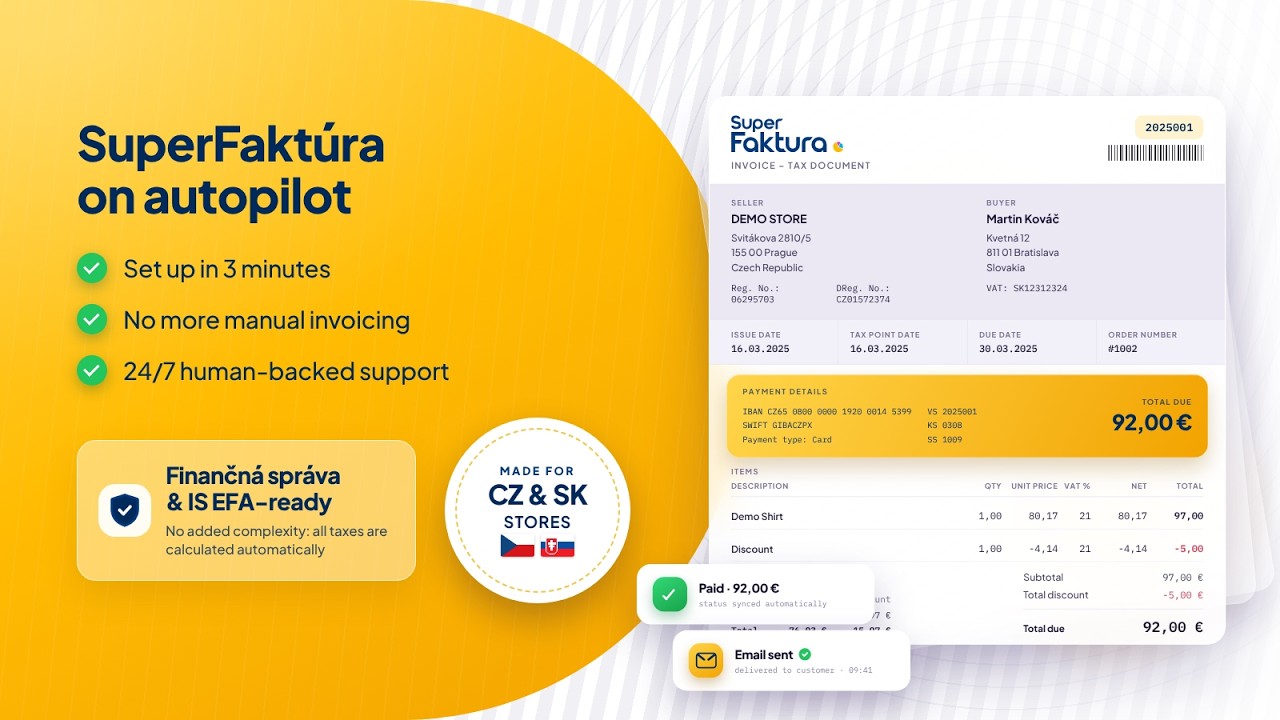
Legislation-compliant documents generated in SuperFaktúra, with the tax details exactly as on your Shopify order.
Generate documents in SuperFaktúra automatically from your Shopify orders. You choose the moment for each document type: when an unpaid order is created, when it is paid, when it is fulfilled or when any order is created.
Collect your business customers' IČ DPH natively at Shopify checkout. It goes onto the document, and EU business customers with a VAT ID get 0% VAT reverse charge documents.
Show the product name, the SKU or both on your documents, and send the SKU to SuperFaktúra's product code field.
Generate a credit note automatically when an order is partially or fully refunded, or when it is cancelled. Only the refunded items appear on the credit note.
Skip the orders you do not want a document for: orders with a given tag, POS orders, orders paid only with gift cards or orders with a zero total. You can also generate each document type for everyone, only for companies or only for individuals.
Tax rates and amounts go onto the document exactly as on the Shopify order, with OSS marked automatically for EU cross-border sales to consumers.
Orders from Shopify POS get documents the same way as online orders, with the same triggers, document types and settings.
See the document status of every order in one list, search by order, and filter for successful documents or errors. Errors come with an explanation and a solution, and you can generate a document by hand from any order.
Email each document to your customer from SuperFaktúra right after it is generated, and add a download link for the invoice to Shopify's own order emails.
Response within 1 hour, in the app chat, by email or in the Help Center. Backed by a team that knows SuperFaktúra and your market.
Install the app from the Shopify App Store and connect your SuperFaktúra account. It takes 3 minutes.
Pick which documents to generate and when, set your exceptions, and choose numbering series, also by shipping country, and what appears on the documents.
Every new order becomes a document in SuperFaktúra automatically. Follow every document in Monitor.
24/7, with a response within 1 hour, in the app chat, in English or your language. A team that knows your invoicing platform stands behind every answer.
Help CenterInvoices, proforma invoices and credit notes. When an invoice follows a proforma for the same order, the two are linked.
Yes. You choose the moment for each document type: when an unpaid order is created, when it is paid, when it is fulfilled or when any order is created. You can also generate an invoice or proforma by hand from a Shopify order.
A credit note is generated in SuperFaktúra for partial and full refunds and for cancellations, linked to the invoice the app generated.
Yes. Your customers can enter their IČ DPH at Shopify checkout and it appears on the document. EU business customers with a VAT ID get 0% VAT reverse charge documents, and OSS is marked automatically for EU cross-border sales to consumers.
Yes. You pick the numbering series for each document type from your SuperFaktúra series, and you can also choose a series by the order's shipping country.
A SuperFaktúra plan that allows connections to other systems, and your SuperFaktúra account details. Setup takes 3 minutes.
24/7 human-backed support, with a response within 1 hour, through the chat in the app, by email or in the Help Center.
Automatic invoicing for Czech & Slovak shops, Finančná správa & IS EFA-ready. Every Shopify order becomes a legislation-compliant document in SuperFaktúra, with no manual retyping.